Create and assign a nutrition plan
For: Trainer
As a trainer you build nutrition plans and templates and assign them to your clients.
Before you start
- You start here: "Nutrition Plan Editor" (route: /trainer/nutrition).
- To assign a plan you must be connected to the client, and the plan must have at least one meal item.
Steps
Create or load a plan. On the left is the "Your plans & templates" list — templates carry a "Template" badge and their kcal. "New plan" starts you on a blank slate, or "Load a nutrition template" pulls in an existing one. When it's still empty: "No plans yet. Create a plan or load a template to get started."
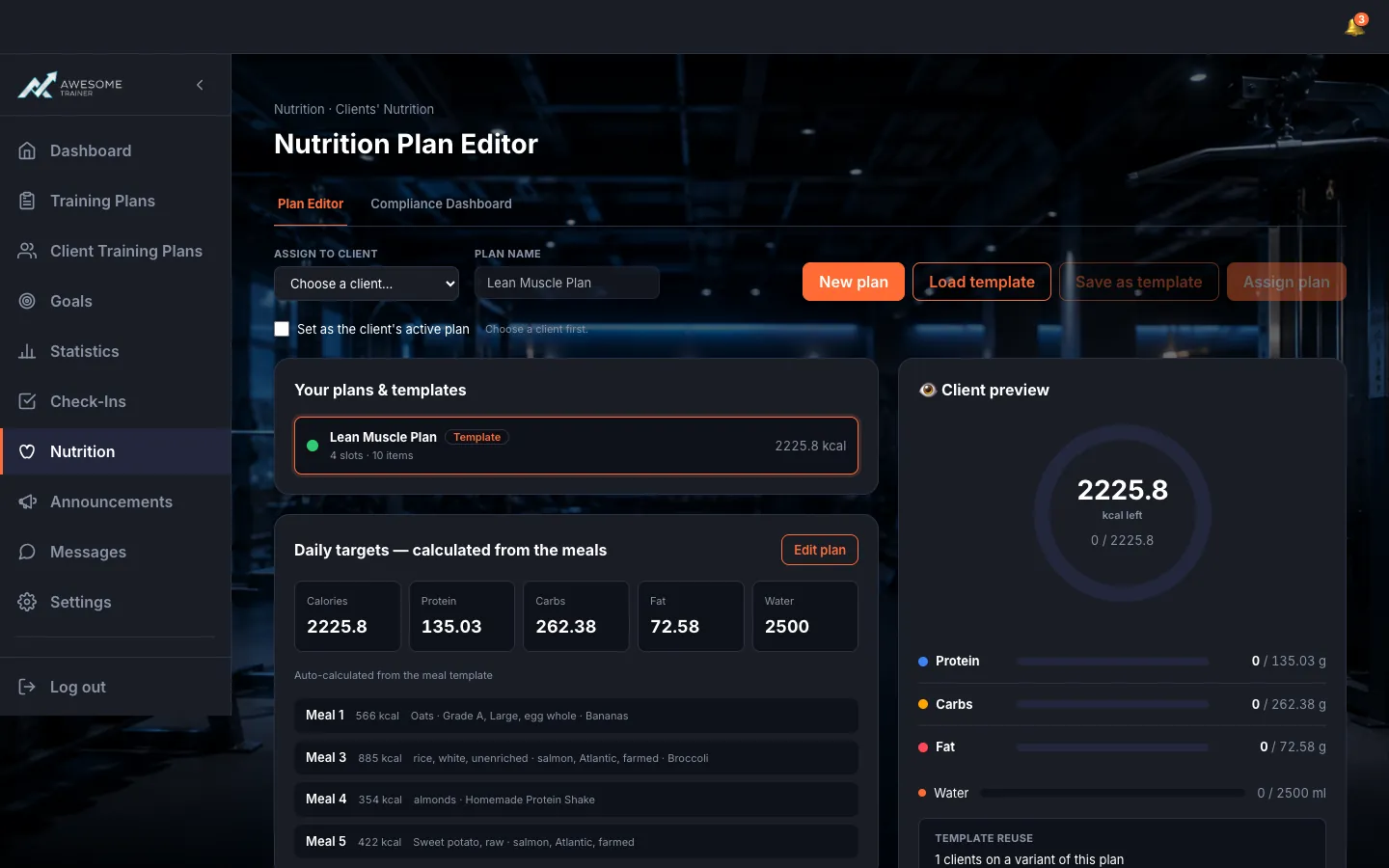
Edit the plan. Set the "Daily targets — calculated from the meals" and the meal template (the food items per meal). The "Client preview" on the right shows exactly what your client will see. Save with "Save plan" — or flip on "Save as a reusable template", or use the "Save as template" button.
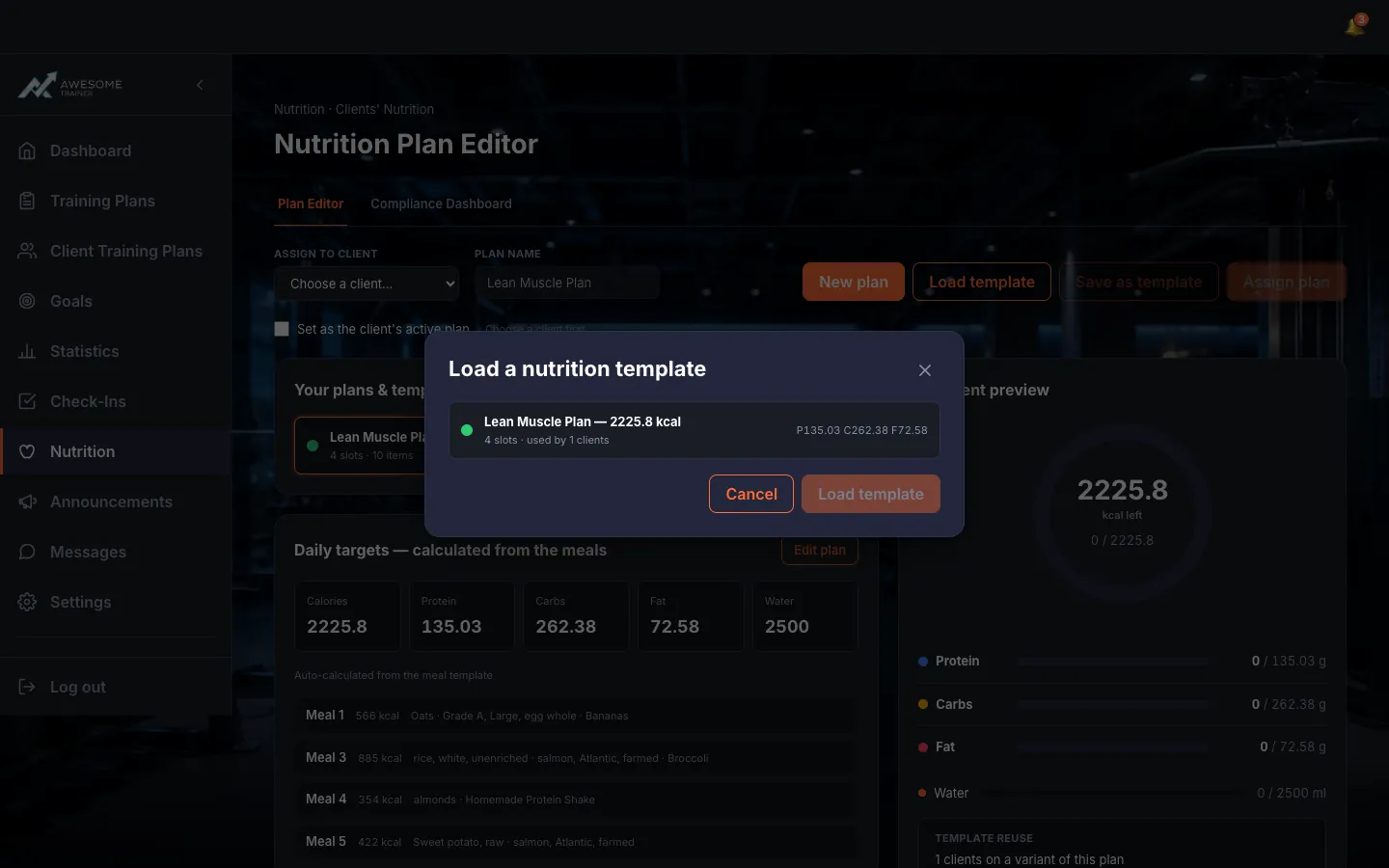
Load a template (if you like). The "Load a nutrition template" list runs through your templates ("… — … kcal", "… slots · used by … clients"); "Load template" drops it into the editor so you can tweak it from there.
Assign it to a client. In the "Assign to client" selector, pick the client, tick "Set as the client's active plan" if you want, then "Assign plan". When it lands: "Plan assigned to …. … custom foods copied."
Tips
Turn on "Save as a reusable template" and you can reuse the same plan for other clients later.
Troubleshooting
| Symptom | Cause | Fix |
|---|---|---|
| "You're not connected to that client." | The client isn't connected to you yet. | Connect with them first, then assign the plan. |
| "Add at least one meal item before assigning." | The plan is empty — it has no meal items. | Add at least one food item to a meal, then assign. |