Create and manage a training plan
For: Everyone
This is where you build your own workout plans: name them, give them a colour and notes, then add exercises — by hand or from the exercise library and ready-made templates.
Before you start
- Entry point: the "My Training Plans" list at /plans.
- Whatever you assemble here, you later run on the "Active Workout" screen.
Steps
Open your training plans. The "My Training Plans" list shows your plans as cards: name, colour and "… exercises". If you don't have any yet, "You have no training plans yet." greets you with the nudge "Create one or import a template." — kick off with the "+ Add training plan" or "Browse templates" button.
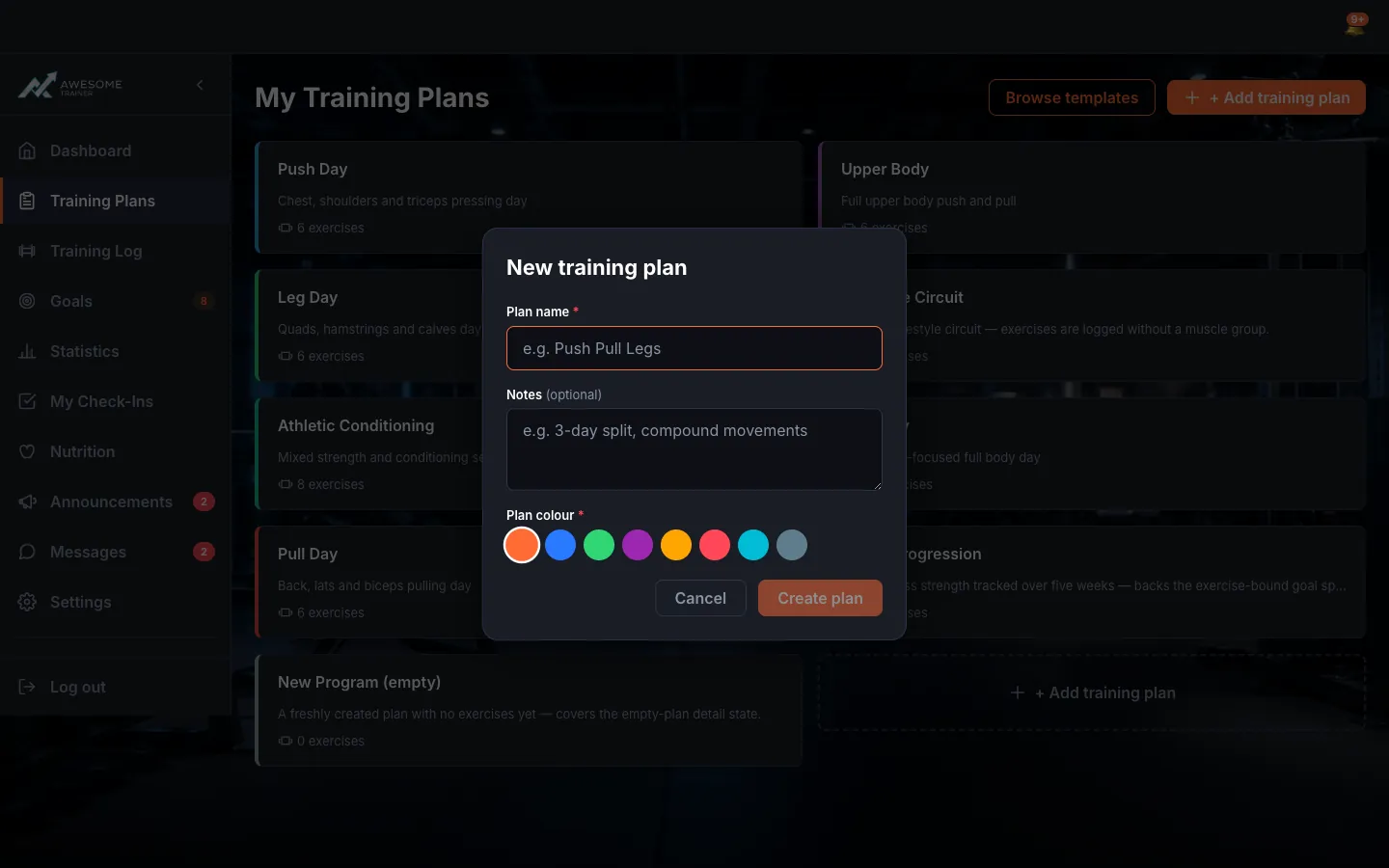
Create a new plan. The "+ Add training plan" button opens the "New training plan" dialog. Fill in "Plan name" (required, max 100 characters — e.g. "Push Pull Legs"), "Notes" and "Plan colour", then "Create plan". Once it's made, you land straight in the plan editor.
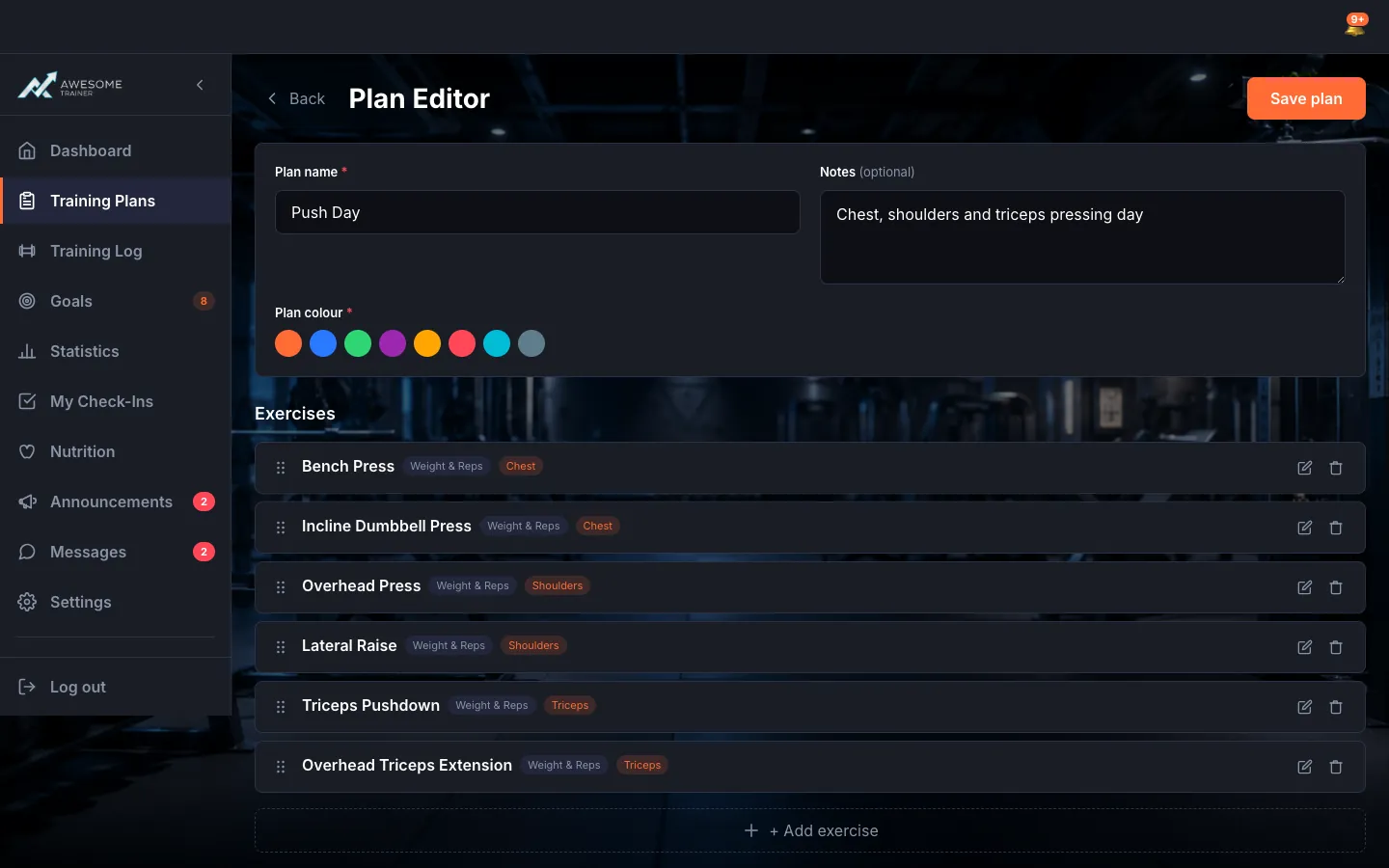
Edit the plan's exercises. The "Plan Editor" has two parts: "Plan details" (name, notes, colour) and "Exercises". Reorder exercises with the drag handle or the "Move up"/"Move down" buttons, and each one has "Edit" and "Delete". Finish with "Save plan" (during save "Saving…", on success "Saved!").
Delete a plan when you're done with it. "Delete" on a card opens the "Delete training plan?" dialog — this action cannot be undone. If the plan already has recorded workouts, deletion is disabled so you don't lose important history.
Deleting a training plan can't be undone.
Tips
The moment you create a new plan, we drop you right into its editor — no extra navigation needed.
If you try to leave with unsaved changes, the "You have unsaved changes." warning protects you from losing them: pick between "Discard changes" and "Keep editing".
Troubleshooting
| Symptom | Cause | Fix |
|---|---|---|
| "Plan name is required." / "Plan name must be at most 100 characters." | The name is missing or too long. | Enter a name of at most 100 characters and try again. |
| The "Delete" button is disabled. | The plan already has recorded workouts. | "This plan has recorded workouts and cannot be deleted." — duplicate it instead, or keep the plan as a record. |
| "Failed to load your training plans." | A load error occurred. | Refresh the page and check your connection. |