Import a ready-made template
For: Everyone
You don't have to start from scratch: copy a ready-made plan from the Template browser into your own plans.
Steps
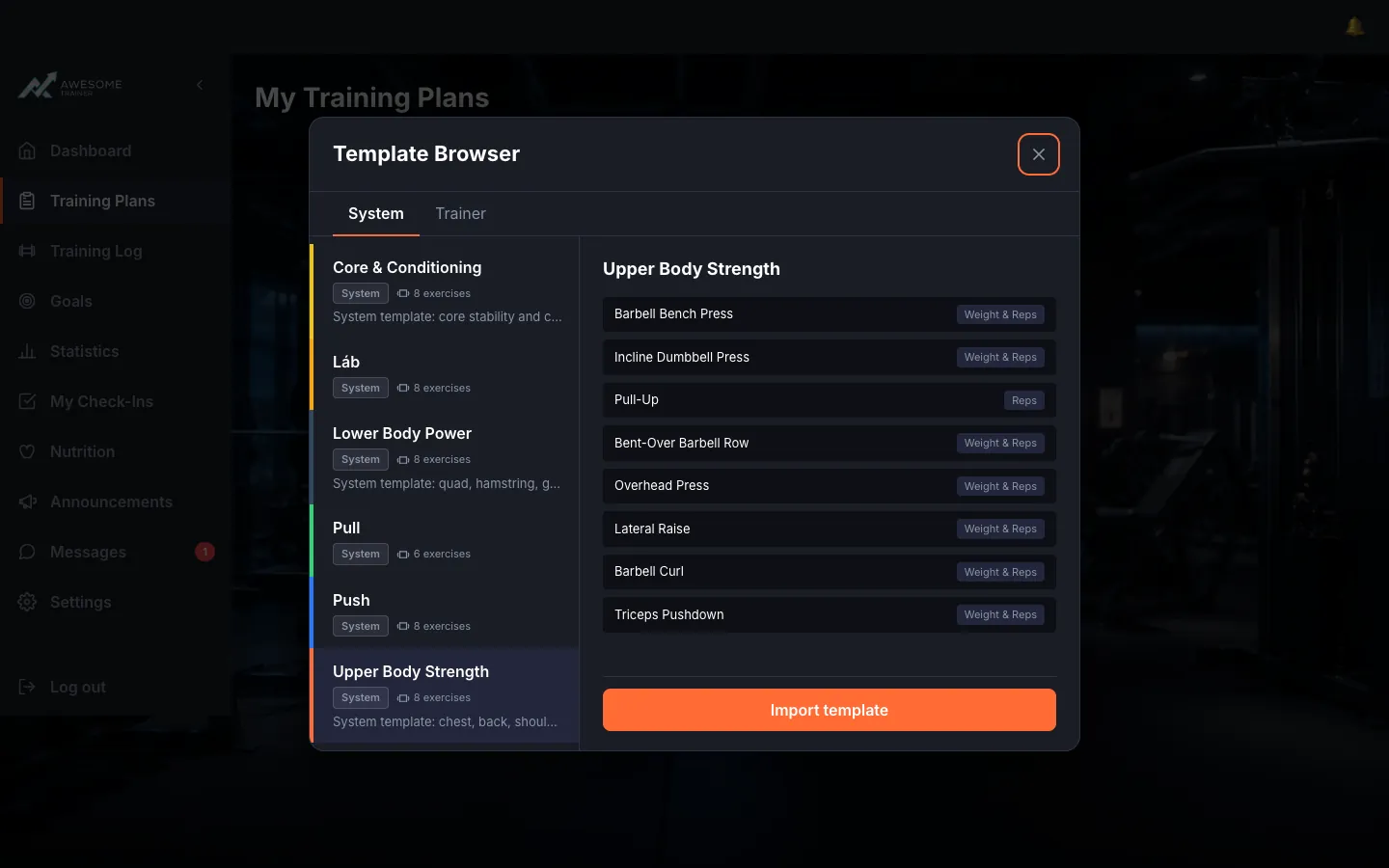
Grab a ready-made template. "Browse templates" opens the "Template Browser" with "System" and "Trainer" tabs. Click a template, preview its exercises on the right, then "Import template" to copy it into your own plans — from there you can edit it freely.
Tips
System templates can't be edited directly — import one into your own plans first, then shape it however you like.
Troubleshooting
| Symptom | Cause | Fix |
|---|---|---|
| "Failed to import template. Please try again." | The import stalled (e.g. the template no longer exists, or you lack permission for it). | Refresh the Template Browser, pick an available template, and import it again. |