Track your clients' nutrition compliance
For: Trainer
The compliance dashboard shows which clients are sticking to their plan and who needs help.
Steps
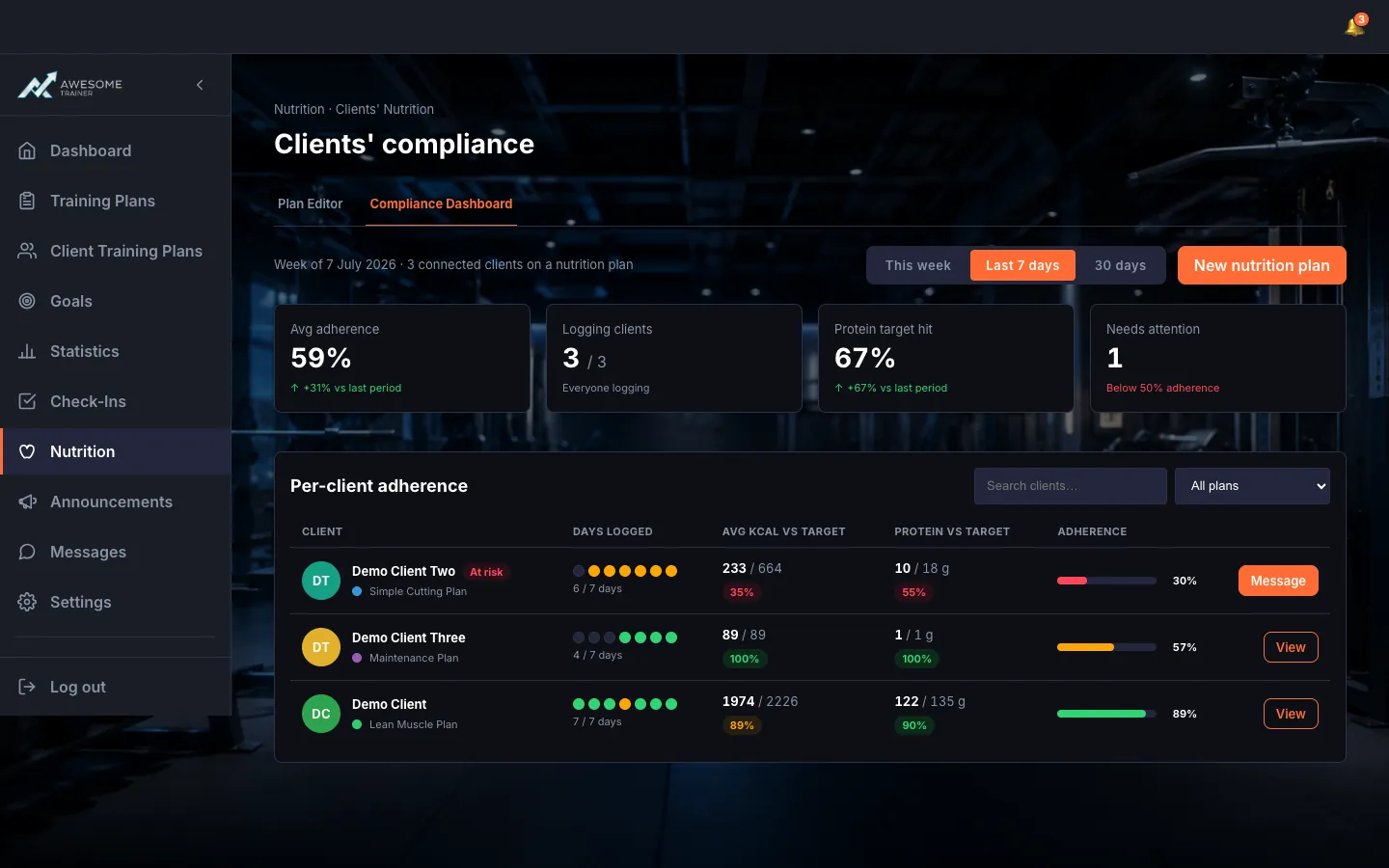
Track compliance. On the "Clients' compliance" dashboard (route: /trainer/nutrition/compliance): the period selector up top (This week / Last 7 days / 30 days), the summary tiles below (Avg adherence, Logging clients, Protein target hit, Needs attention), and the "Per-client adherence" table — which you can search and "Filter by plan".
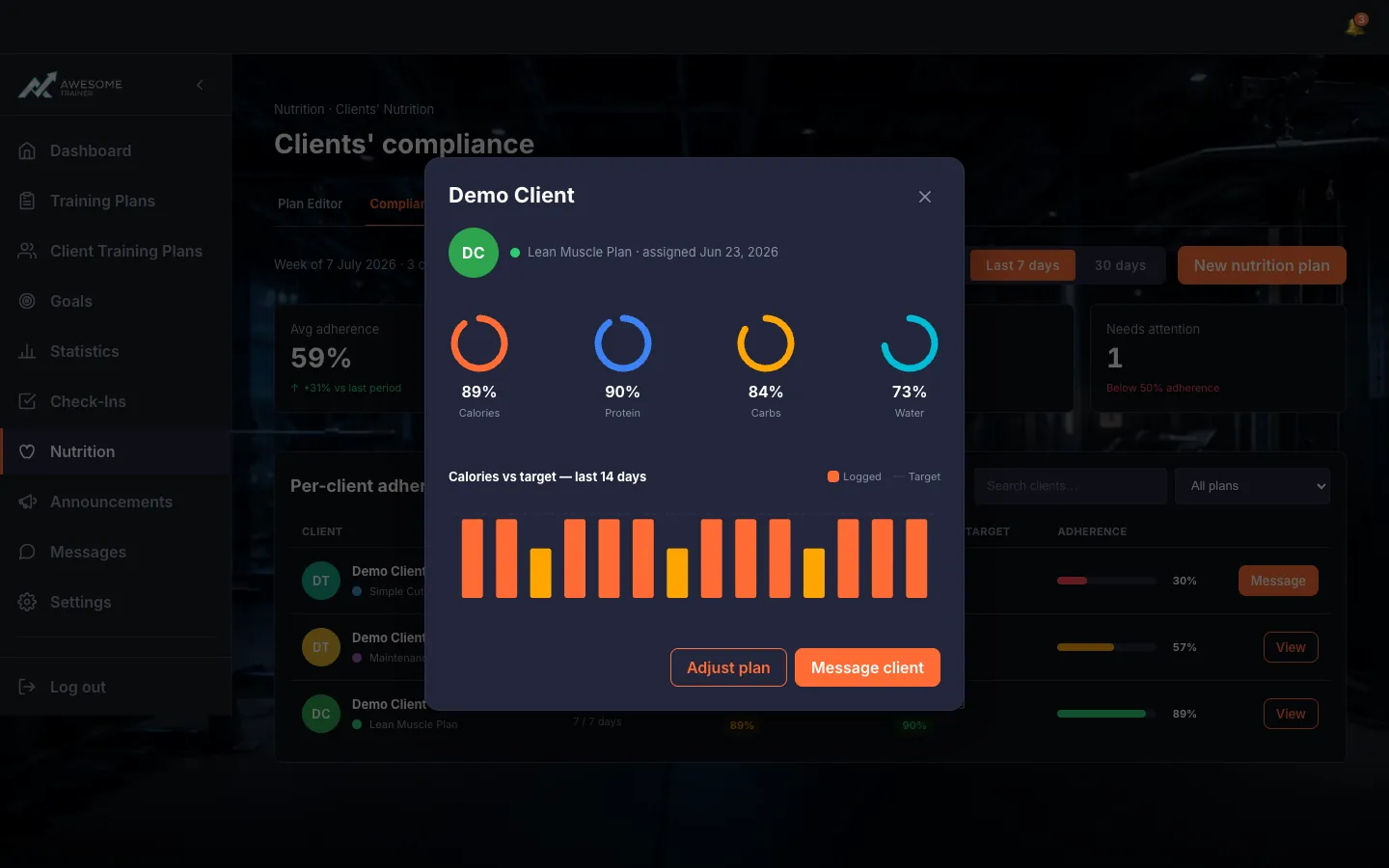
Drill into a client. A client's "View" button opens the drill-in: their active plan ("… · assigned …"), the macro rings (Calories/Protein/Carbs/Water as % of target), the "Calories vs target — last 14 days" chart, and — for low adherence — a warning note. From here you can "Adjust plan" or "Message client" in one tap.
Tips
The "Needs attention" tile gathers up the clients who've slipped below 50% adherence — start with them.
Troubleshooting
| Symptom | Cause | Fix |
|---|---|---|
| "No clients on a nutrition plan yet." | None of your connected clients has a plan assigned. | Assign a plan to one of your clients — their adherence then shows up here. |