Create a goal or PR target
For: Everyone
Set yourself something concrete — a strength PR, an estimated 1RM, session volume, a rep target or a weekly frequency — and the app tracks progress on its own from your logged workouts. All you have to do is train.
Before you start
- You start here: "Your Goals" at /goals.
- Progress updates from your logged workouts, so log a few first — then there's something to track.
Steps
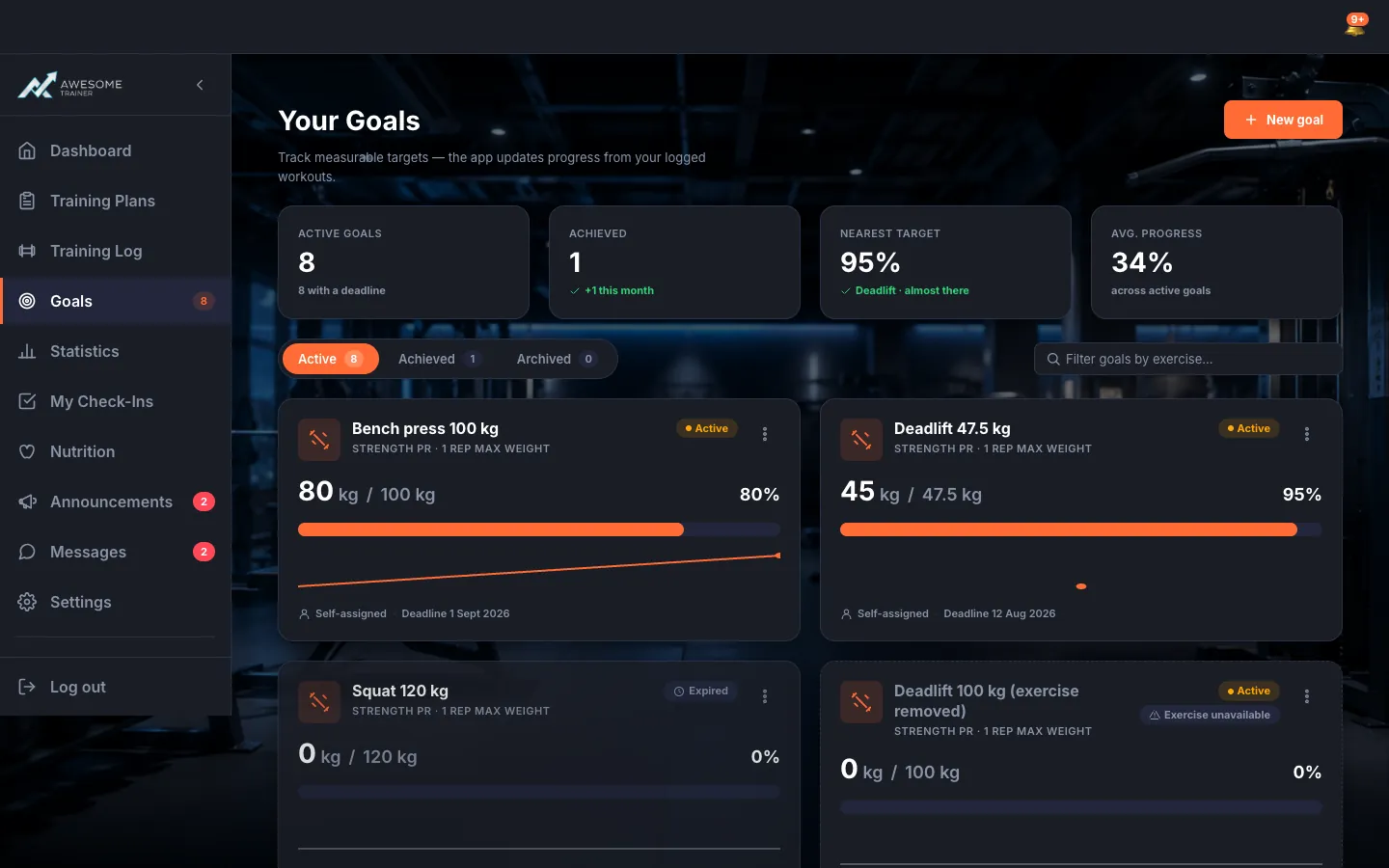
Open your goals. On the "Your Goals" page, the KPI cards up top give you the quick picture: "Active goals", "Achieved", "Nearest target" and "Avg. progress". Below them, the "Active" / "Achieved" / "Archived" tabs and the "Filter goals by exercise…" search narrow the list. Each card carries a progress bar with a percentage, the status (Active, Behind, Achieved, Expired, Archived), the deadline and a mini trend sparkline.
If you have no goals yet. On an empty page, the "Give your training a finish line" heading greets you, with a line or two on what you get out of it and a "Create your first goal" button to jump straight in.
Create a goal. The "New goal" button opens the form. Pick a "Goal type" (Strength PR, Estimated 1RM, Session volume, Rep target or Weekly frequency), choose the "Exercise" — we show your current best right there — enter the "Target value", and if you like, a "Deadline (optional)" and "Title (optional)". As a trainer, the "Goal for" field lets you set it for "Myself" or a "Client". Finish with "Create goal".
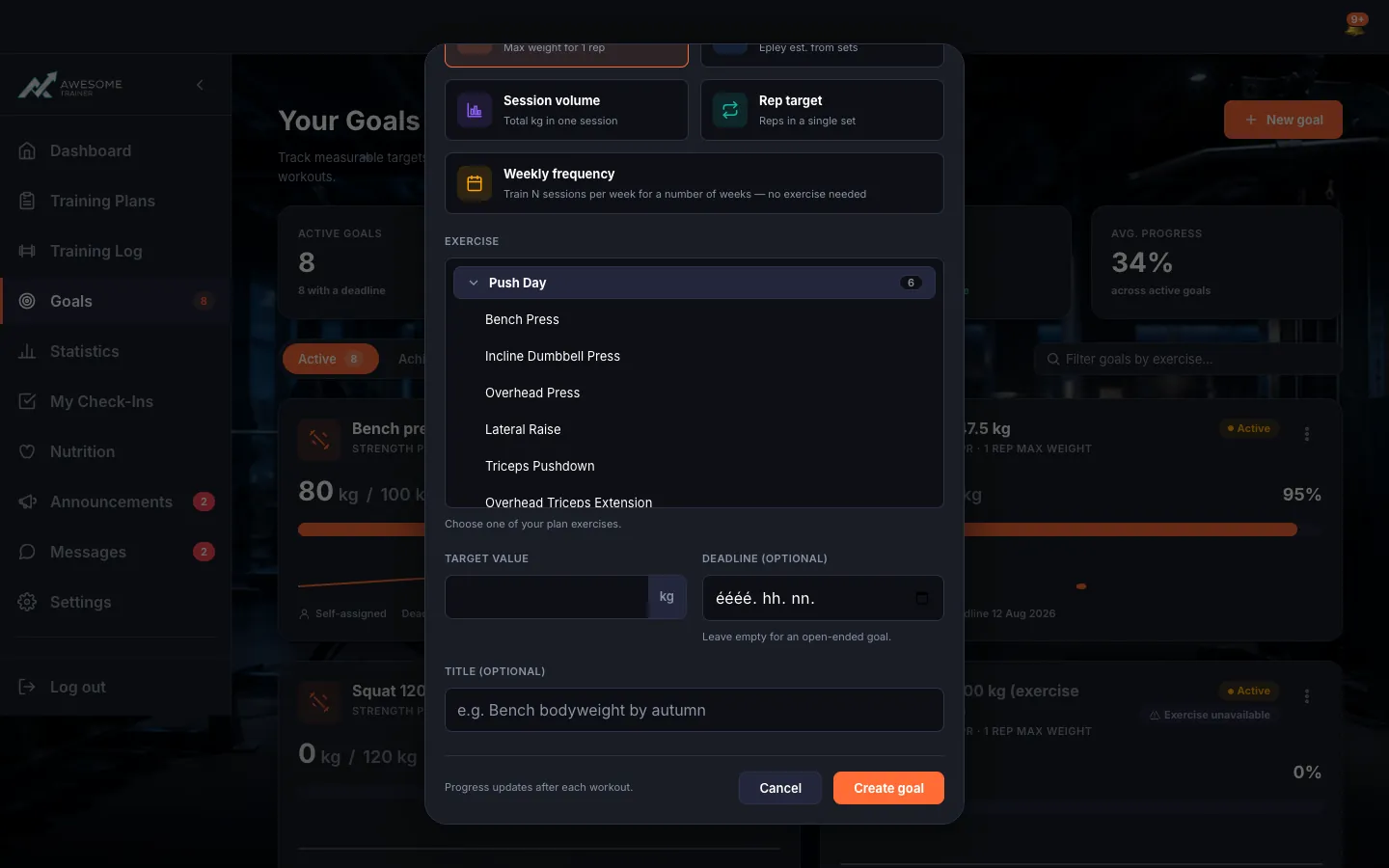
Pick an exercise. On the goal form, next to the exercise field, the picker opens with the "Plan exercises" list. You pick an exercise whose metric fits your goal type — the ones that don't fit simply aren't offered.
Tips
Your target has to beat your current best — that's why we show "Your current best", so you know exactly where you're raising the bar from.
Troubleshooting
| Symptom | Cause | Fix |
|---|---|---|
| "Your target must be above your current best." | The target you entered doesn't beat your current best. | Enter a target higher than your current best — a goal's only a goal if there's something to reach for. |
| "No plan exercises yet" / "No matching exercise for this goal type". | You have no plan exercise, or the ones you have don't record the right metric for this goal type. | First create a plan and add an exercise that fits the goal type — then you can pick it for the goal. |