Assign goals to a client
For: Trainer
You see a client's goals on their own page, and you can assign a new goal from there.
Before you start
- How to get here: Settings page → "Manage clients" section (badge: "Trainers only").
Steps
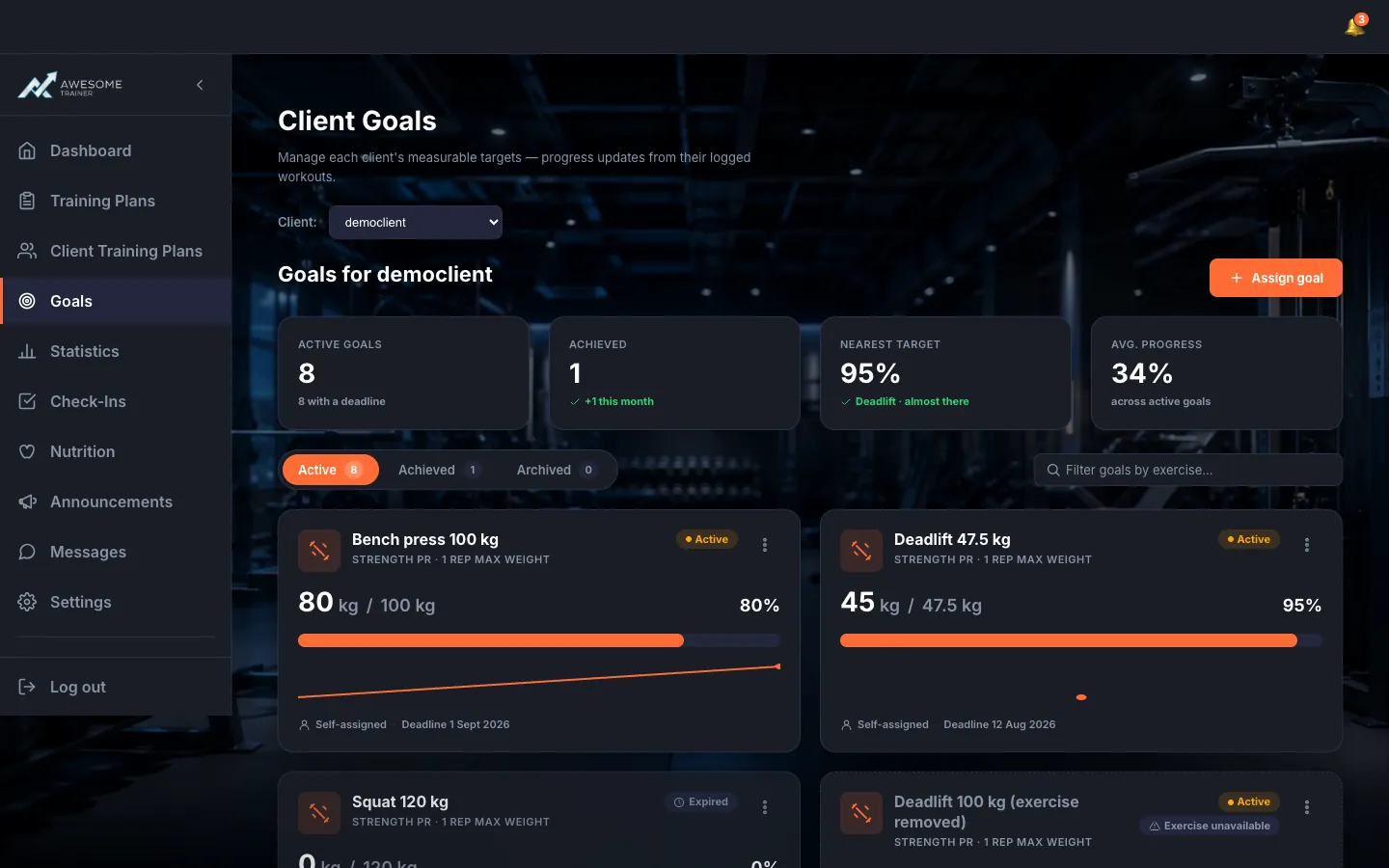
Open a client's goals. On a client row, the "Goals" link opens the "Goals for …" page. You'll see the same KPI and goal cards as on your own Goals page, just filtered to this client. Use the "‹ Clients" link at the top to go back, and "Assign goal" to set a new goal for them.
Tips
"Assign goal" from a client's goals page opens the goal form with the "Client" recipient already set — you set the goal right where you're looking at it.
When editing, you can't swap the goal type anymore — if you want to track a different metric, just create a new goal.
Troubleshooting
| Symptom | Cause | Fix |
|---|---|---|
| "You can only view goals for clients you're connected with." | You don't have an active connection with that client. | Invite them first and wait for them to approve the pairing — then you'll see their goals. |