View your statistics
For: Everyone
This is where your progress shows up in numbers: a calendar of the days you trained, a table of every workout, and charts for your weekly frequency, your best lifts and your total volume.
Before you start
- You start here: "Statistics" at /statistics.
- As a trainer, first pick whose data you want in the top "Client:" selector.
Steps
Open the statistics. On the "Statistics" page, as a client your own data greets you right away. At the top the workout calendar marks the days you trained with a dot, and you can page through months with the "Previous month" / "Next month" buttons.
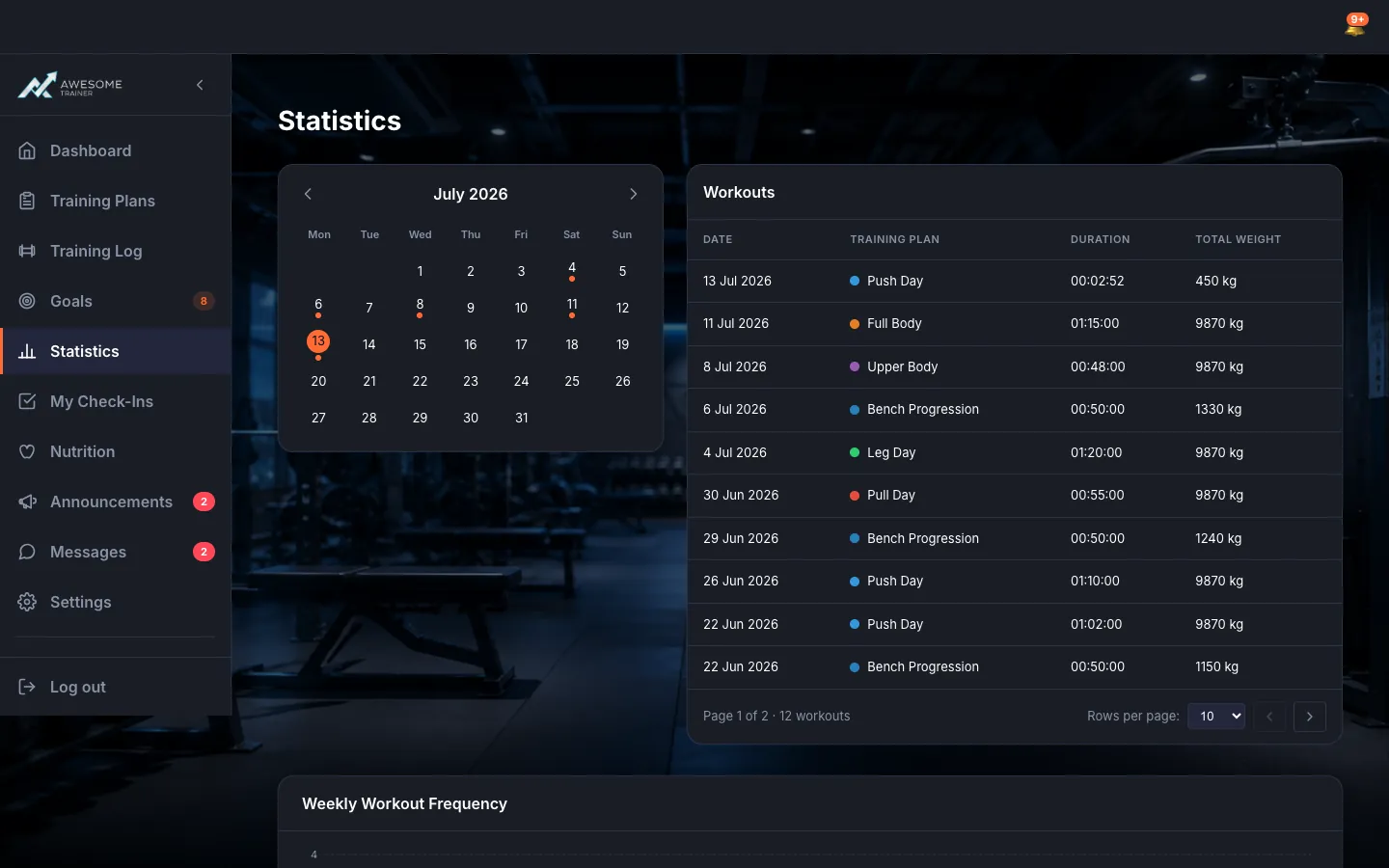
Browse your workouts. In the "Workouts" table, every workout is one row: Date, Training Plan, Duration, Total Weight. It's paginated, and clicking a row pops open all the details of that session.
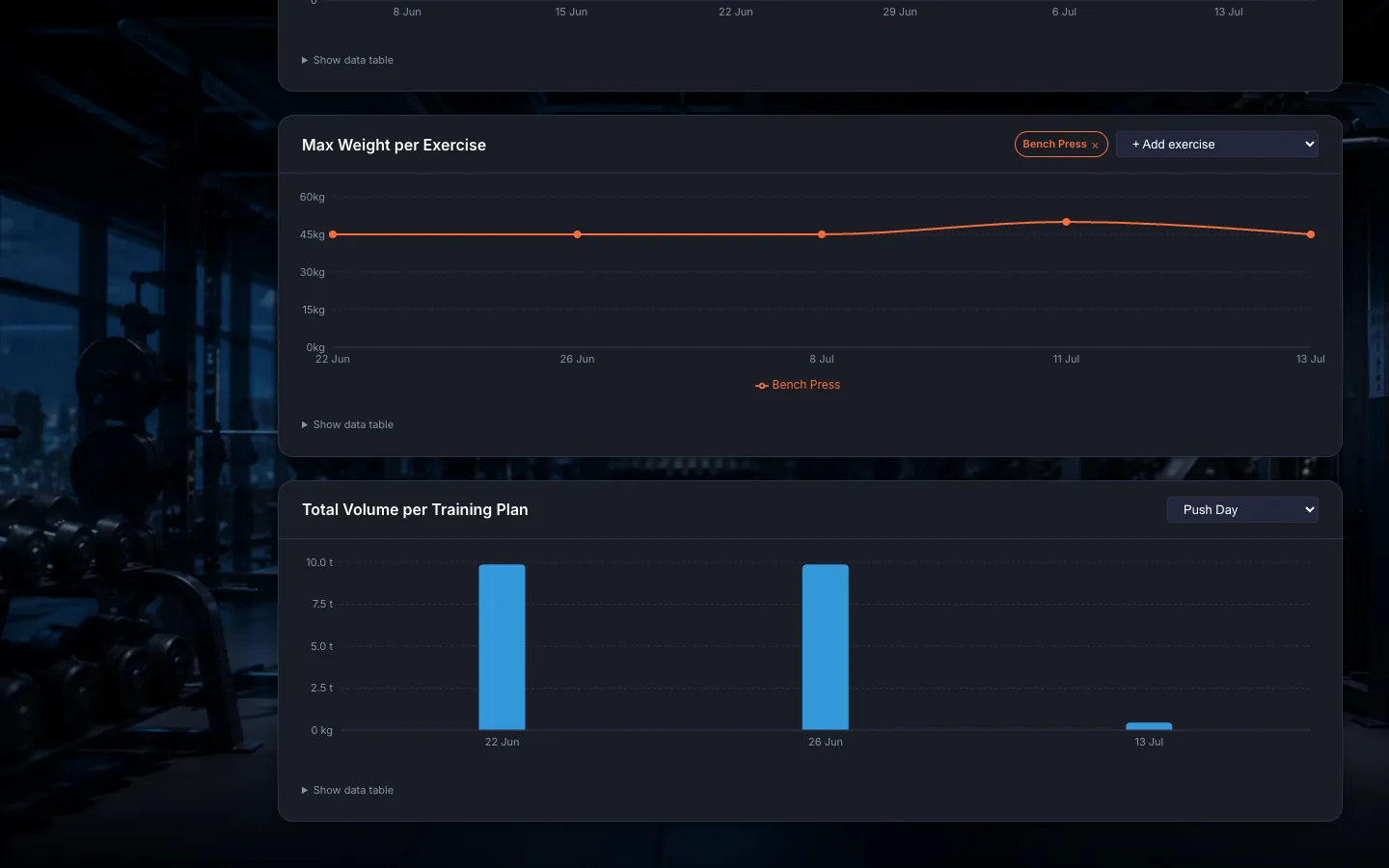
Analyze the charts. Three charts draw your progress: "Weekly Workout Frequency" shows how consistent you are, "Max Weight per Exercise" tracks your bests (use "+ Add exercise" to line several up side by side), and "Total Volume per Training Plan" shows how much you've moved overall. Want the raw numbers? Each one has a "Show data table".
As a trainer, pick a client. As a trainer, the "Client:" selector appears at the top — that's where you choose whose progress you're viewing. Until you pick someone, the page reminds you: "Select a client to view their statistics."
Tips
You can add several exercises to the "Max Weight per Exercise" chart and compare their progress side by side at a glance.
The "Total Volume per Training Plan" chart needs a training plan selected first — then it draws the data.
Click a workout row and the popup walks through every set, notes included.
Troubleshooting
| Symptom | Cause | Fix |
|---|---|---|
| "Select a client to view their statistics." | As a trainer, you haven't picked a client yet. | Choose whose data you want in the top "Client:" selector. |
| "No workouts recorded yet." / "No workout data yet." | There's no completed workout in this period to count from yet. | Hop over to the "Active Workout" screen, log a few sessions, then come back — the numbers show up right away. |
| "Could not load statistics. Please refresh." | The page failed to load. | Refresh the page and check that your connection is fine. |
| "Could not load chart data." | A particular chart failed to load. | Refresh the page, or pick a different exercise / training plan for the chart. |