Manage notifications and email notification settings
For: Everyone
Notifications tell you when something happens — and in Settings you decide what you also get an email about.
Before you start
- Notifications are shown by the top-bar bell and the dashboard Notifications panel.
Steps
Open your notifications. The top-bar bell lights up with the unread count as a badge. Click it and your notification list drops down.
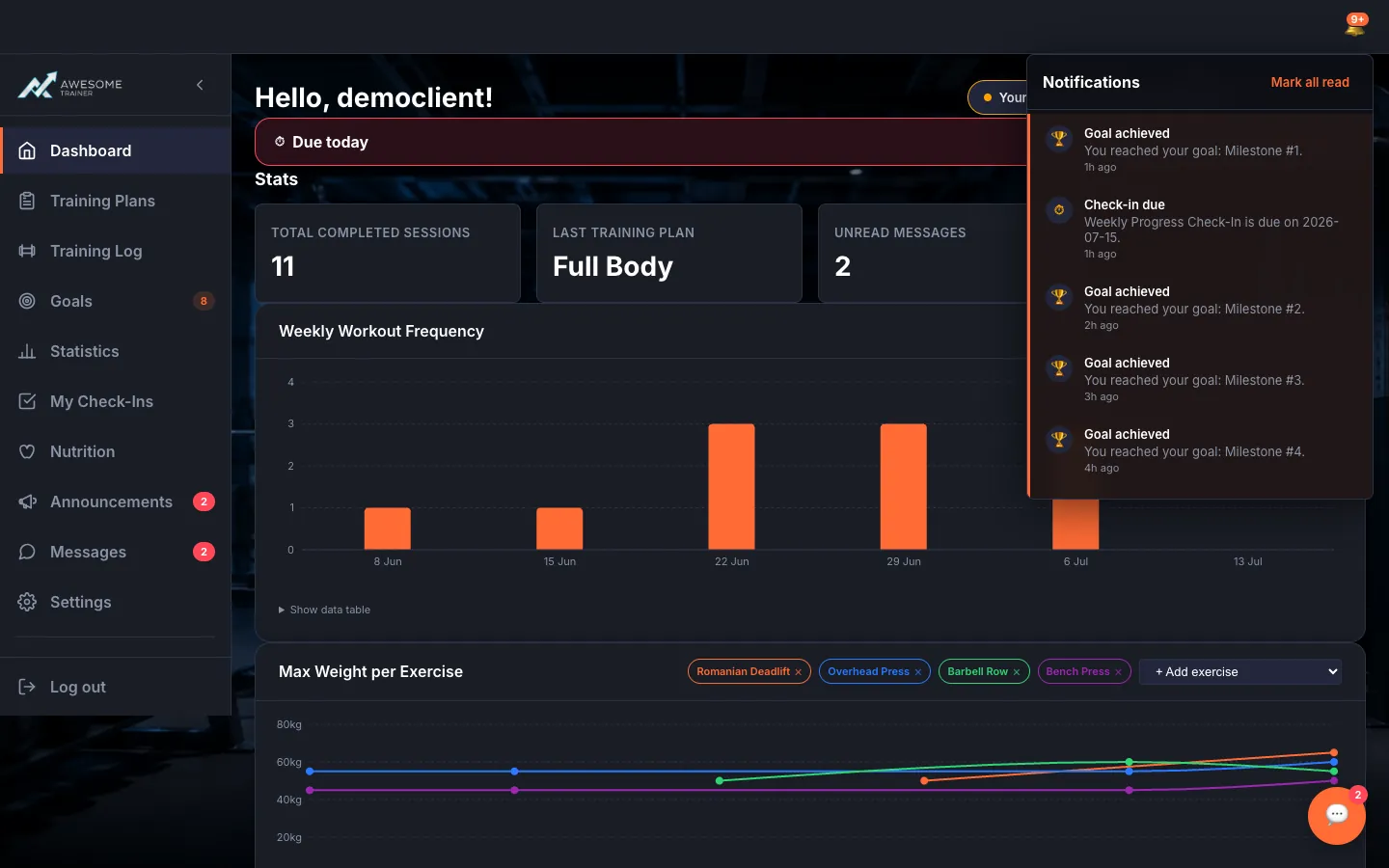
Handle notifications. The Notifications widget and the top-bar notification bell show the same items: check-in reminders, new announcements, achieved goals, missed calls and the like. The unread count reads "… new"; "Mark all read" clears them in one go, and clicking a notification takes you straight to the related page.
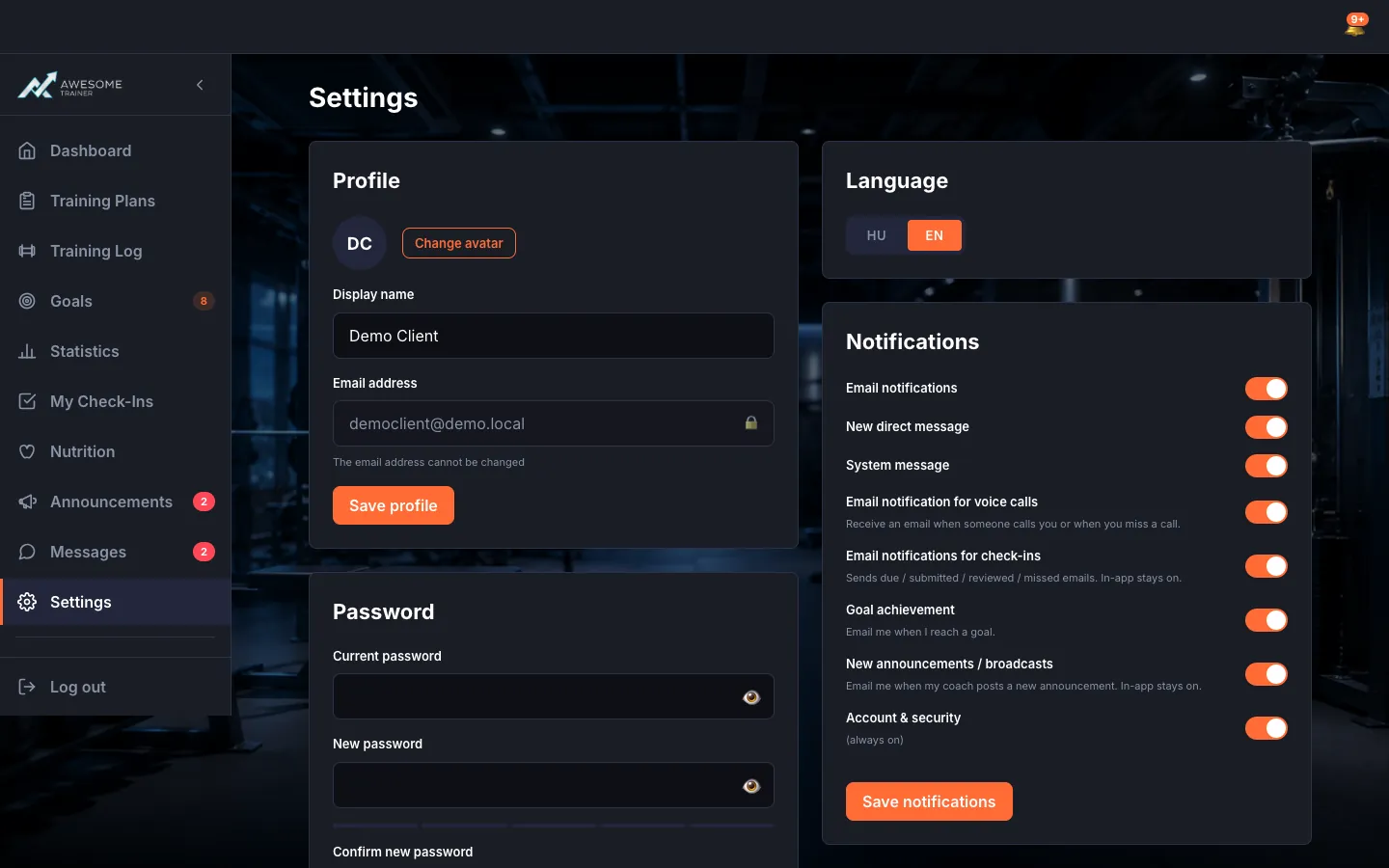
Set your notifications. On the "Notifications" card you decide what you get emailed about: "New direct message", "System message", voice calls, check-ins, "Goal achievement", "New announcements". Toggle them on or off, then "Save notifications" → "Notifications saved." The "Account & security" notifications stay on for your protection.
Tips
The notification types depend on your role, for example: "Check-in due", "Check-in submitted", "Check-in reviewed", "New announcement", "Goal achieved", "New goal set", "Missed call", "Nutrition plan assigned".
Troubleshooting
| Symptom | Cause | Fix |
|---|---|---|
| The notification list is empty. | There are no new events. | "No new notifications." — perfectly normal once you've read everything. |
| The unread badge won't clear. | The notifications aren't marked read yet. | Open the notification, or press "Mark all read". |