Read and acknowledge announcements
For: Client
Read your trainer's announcements in the feed and — if asked — acknowledge that you've read them with a single tap.
Before you start
- You start here: "Announcements" feed (route: /client/announcements).
- Your trainer decides which announcement asks you for an acknowledgement.
Steps
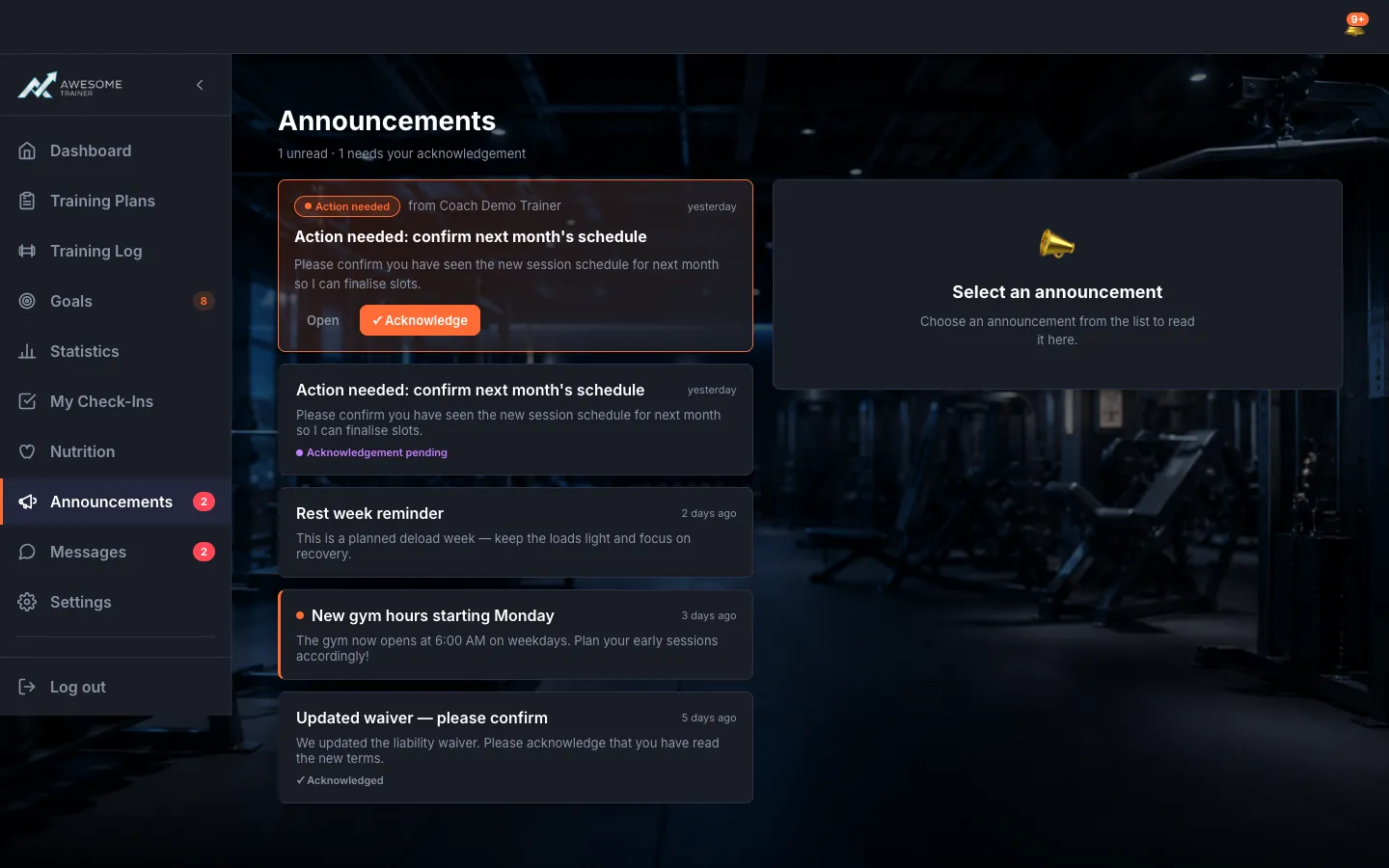
Open the feed. The "Announcements" page header tells you "… unread · … needs your acknowledgement". The list is on the left: each announcement carries the unread marker and — where it matters — the "Acknowledgement pending" / "Acknowledged" tag. Got more? Load them with the "Load more" button.
Read an announcement's detail. Click an announcement and its detail opens: your trainer's name, the send time, the audience, and the text itself. Just read it through — there's nothing to do unless it asks for an acknowledgement.
Acknowledge that you've read it. If the announcement shows "Ack required" — "Your coach asked you to confirm you have read this." —, confirm with "I've read this". You'll then see "Thanks — your coach can see you acknowledged this.", and the time is recorded too ("Acknowledged …").
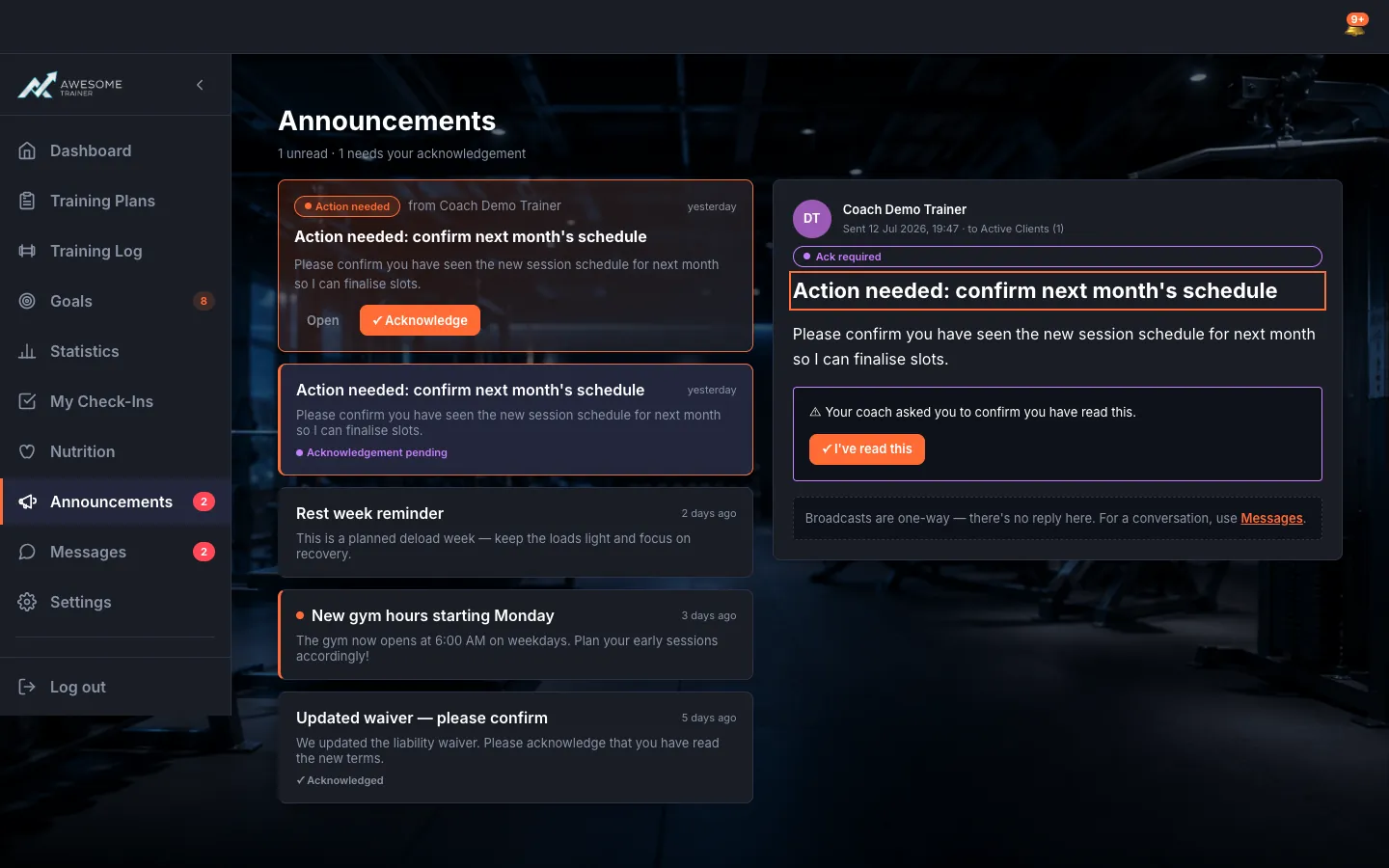
Use the Action-needed banner. On your dashboard, an "Action needed" banner surfaces your trainer's newest announcement waiting for acknowledgement ("from Coach …"), with the "Open" and "Acknowledge" buttons — so you can confirm without even opening the full feed.
Tips
Announcements are one-way — there's no reply button here. If you have a question, message your trainer in Messages.
Your acknowledgement is recorded with a timestamp ("Acknowledged …"), and your coach can see it's done.
Troubleshooting
| Symptom | Cause | Fix |
|---|---|---|
| "Could not acknowledge. Please try again." | A momentary error while recording the acknowledgement. | Tap the "I've read this" button again. |
| "This announcement no longer needs acknowledgement." | The announcement no longer asks for a confirmation — for example, your trainer turned it off. | Nothing to do — the announcement stays readable. |
| "No announcements yet." | Your trainer hasn't sent an announcement yet. | Nothing to do — as soon as they send one, it shows up here. |