The dashboard and navigation
For: Everyone
Your post-login home page: it shows your key numbers, quick actions and notifications at a glance — all built from customizable widgets, with the shared sidebar and top bar.
Before you start
- Entry point: the dashboard at /dashboard, right after you sign in.
- The shared shell — the sidebar and top bar — is with you on every page after login.
- What shows up in the menu depends on your role and permissions.
Steps
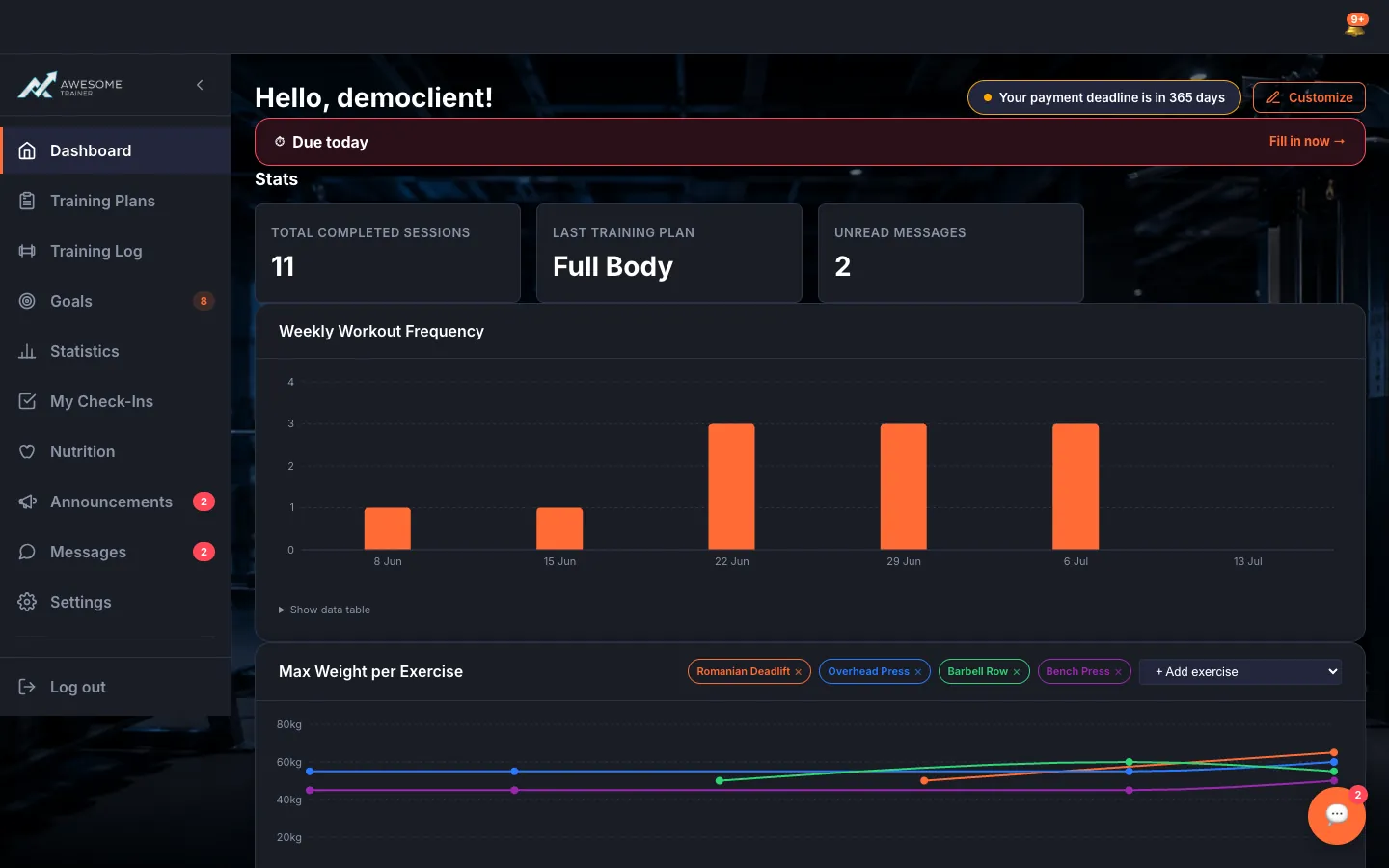
Orient yourself in the sidebar. The left "Main navigation" offers menu items that suit your role — as a client e.g. Dashboard, Training Plans, Statistics, Goals, My Check-Ins, Nutrition, Messages, Settings; as a trainer you also get Client Training Plans, Check-Ins and Announcements. Little badges flash status next to items (e.g. "… unread messages", "… active goals", "Workout in progress" mid-session), and "Log out" sits at the bottom.
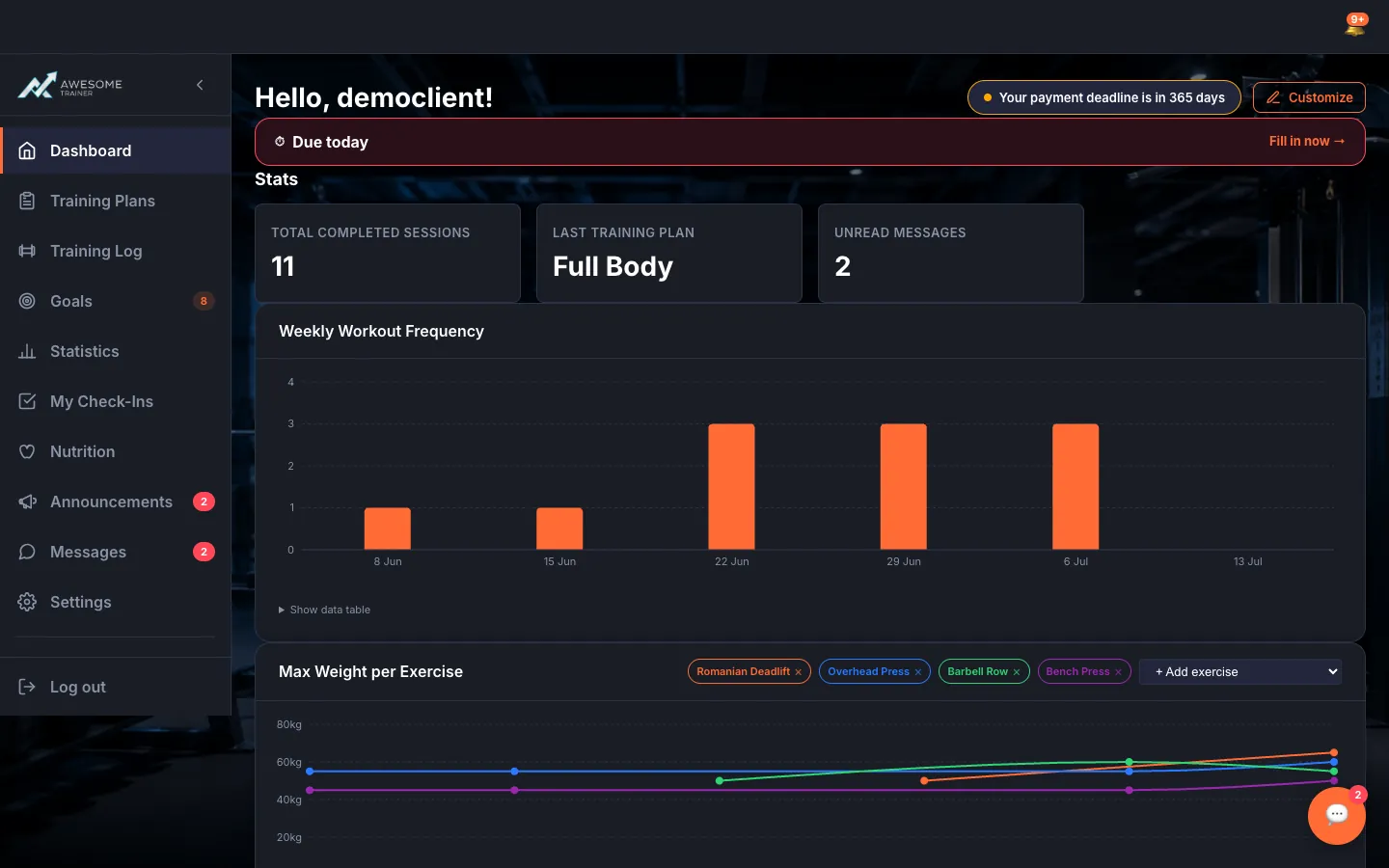
Review your dashboard. Below the "Hello, …!" greeting your widgets are laid out: Stats overview, Quick Actions, Goals, Nutrition (Calories/Water), Notifications, and the AI Assistant if you like. While they load, "Loading widgets…" is shown.
Get moving with Quick Actions. The Quick Actions widget puts your most common tasks one tap away: as a client "Start workout", "Training plan", "Message", "Profile", "Stats"; as a trainer "Clients", "Session", "Schedule", "Settings". Buttons that aren't ready yet show "Coming soon".
Here's your trainer view. As a trainer the dashboard opens with the "Active clients", "Sessions this week" and "Today's schedule" numbers, plus the Check-Ins widget surfacing check-ins awaiting review and overdue, and the Nutrition compliance widget listing your lowest-adherence clients — if everyone's on track, "All clients on track" greets you.
Tips
You can collapse and expand the sidebar ("Collapse sidebar" / "Expand sidebar"); on mobile it opens via the "Open navigation menu" button.