Add a custom food
For: Client
If a food isn't in the system library, you can add it as a custom food together with its macros.
Steps
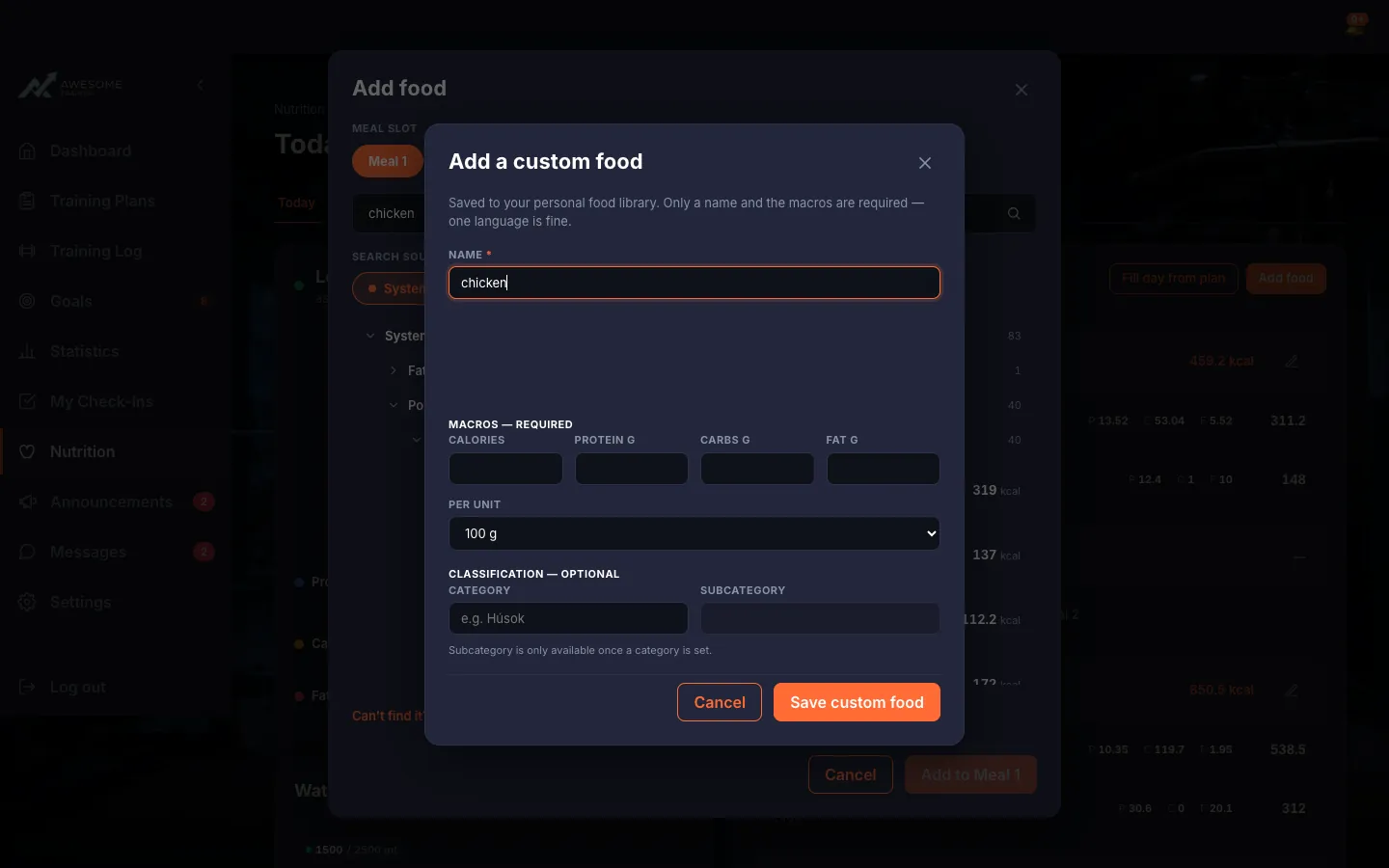
Add a custom food. Can't find what you're looking for? "Can't find it? Add a custom food with macros" opens the "Add a custom food" window. Only the "Name" and the "Macros — required" (Calories, Protein, Carbs, Fat) matter — based on "Per unit" (100 g / 100 ml / 1 piece / 1 serving) — and one language is fine. Finish with "Save custom food".
Troubleshooting
| Symptom | Cause | Fix |
|---|---|---|
| "No foods match '…'." | The food you searched for isn't in the system library or among your custom foods. | Add it quickly with "Can't find it? Add a custom food with macros". |