Finish or discard a workout
For: Client
At the end of a workout you save it, or — if it went sideways — discard it and start over.
Steps
Finish the workout. When you're done, the "Finish workout" button at the bottom pops the "Finish workout?" question — this saves your session and can't be undone. Confirm with "Finish workout", or stay a little longer with "Continue workout".
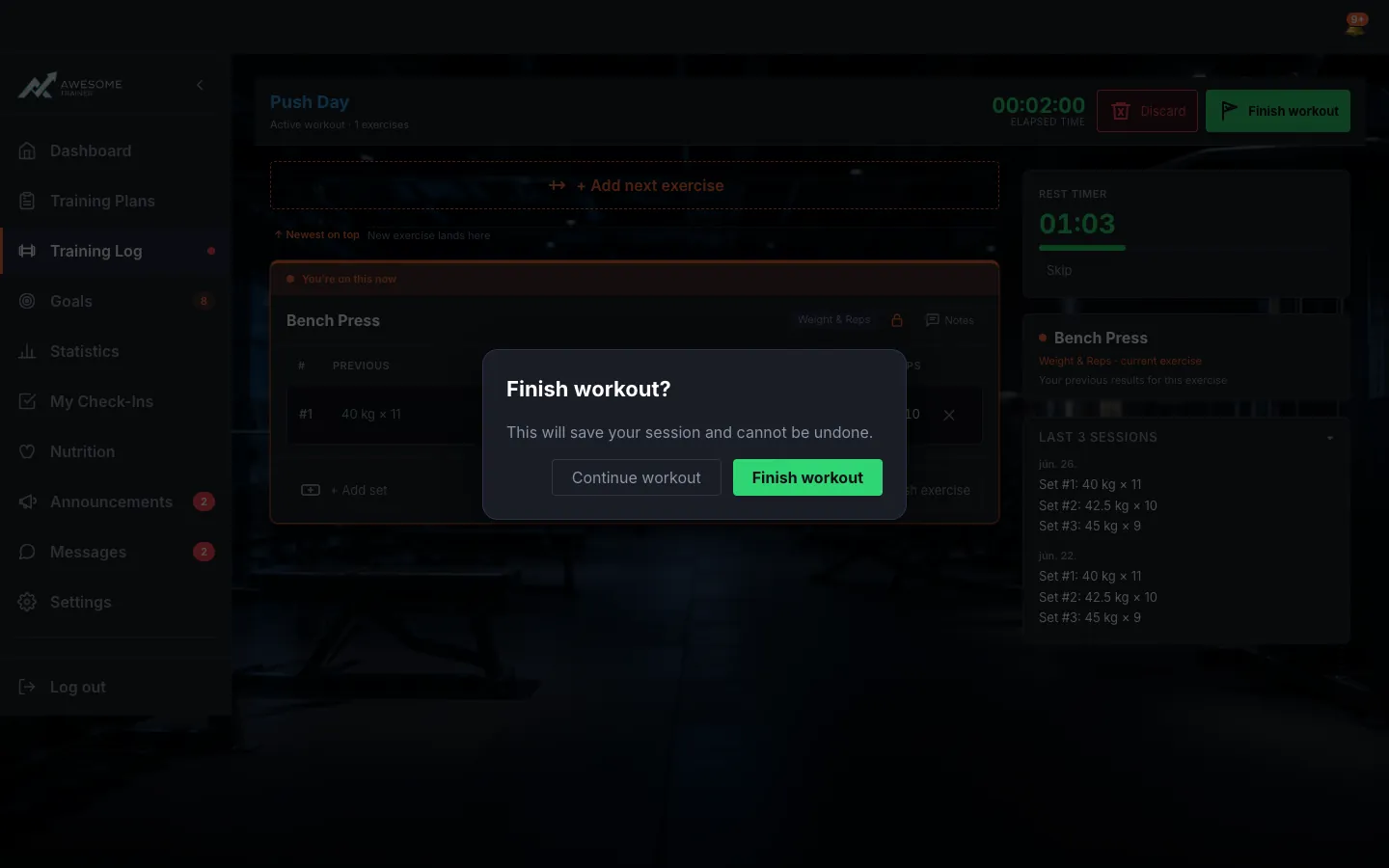
Or discard it, if it went sideways. Want a clean restart instead? The "Discard" button opens the "Discard workout?" question. Heads up: every recorded set is permanently lost, and this one can't be undone either.
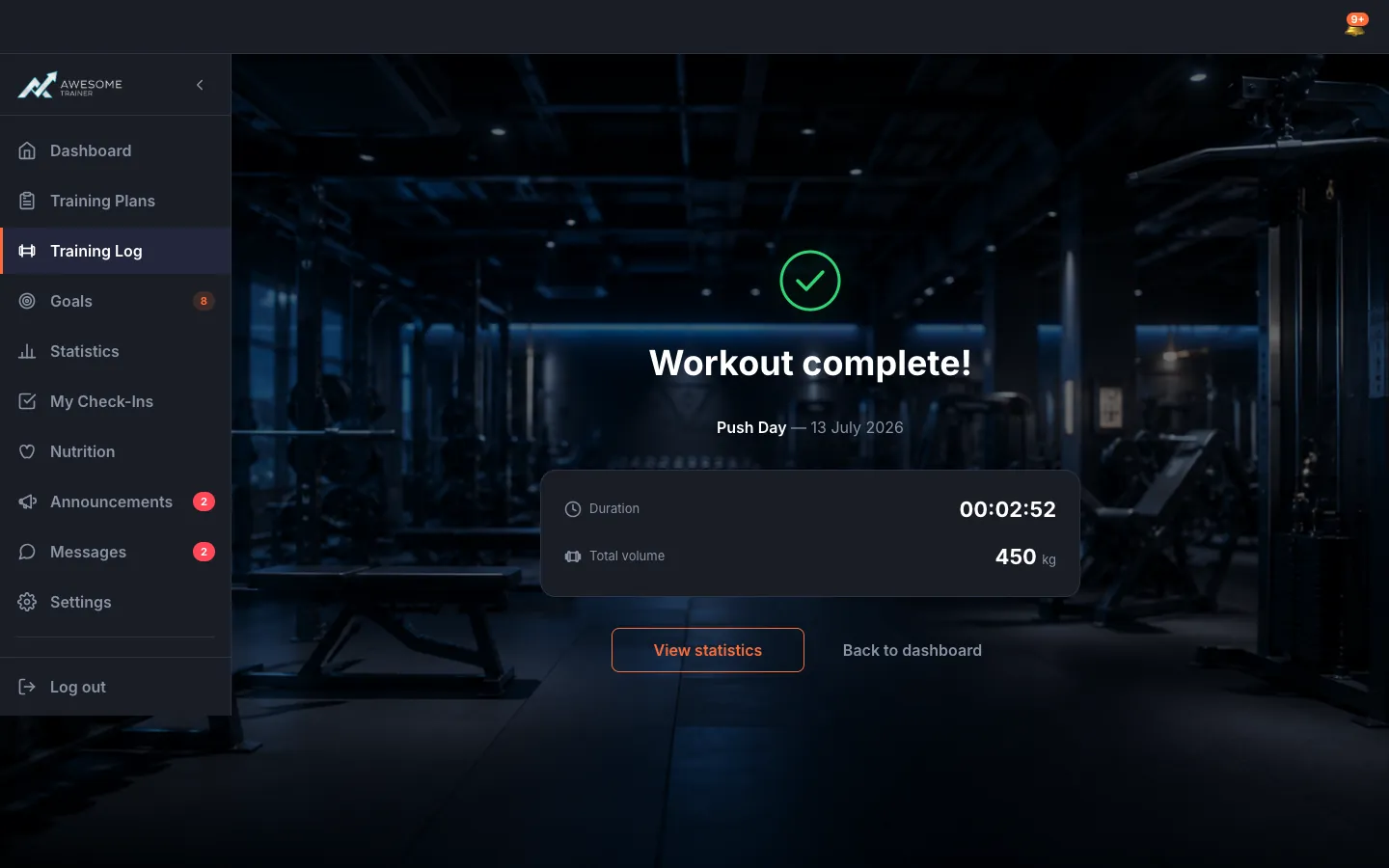
Enjoy the summary. After a successful save, the "Workout complete!" screen greets you with the numbers in black and white: your "Duration" and "Total volume". From here, one tap takes you to "View statistics", or "Back to dashboard".
Neither finishing nor discarding can be undone — discarding permanently loses every recorded set.
Tips
From the summary, the "View statistics" button takes you straight to the Statistics page, where every session lives on in numbers.
Troubleshooting
| Symptom | Cause | Fix |
|---|---|---|
| "Could not finish the workout. Please try again." | A save error hit when finishing. | Check your connection and retry the finish — your data stays put until it goes through. |